Features & Limitations
Features
The device inspector overview provides a list of all customer devices. The list can be filtered by ICCID to search for a specific device. To see more information of a certain device, a single device can be select it in the list.
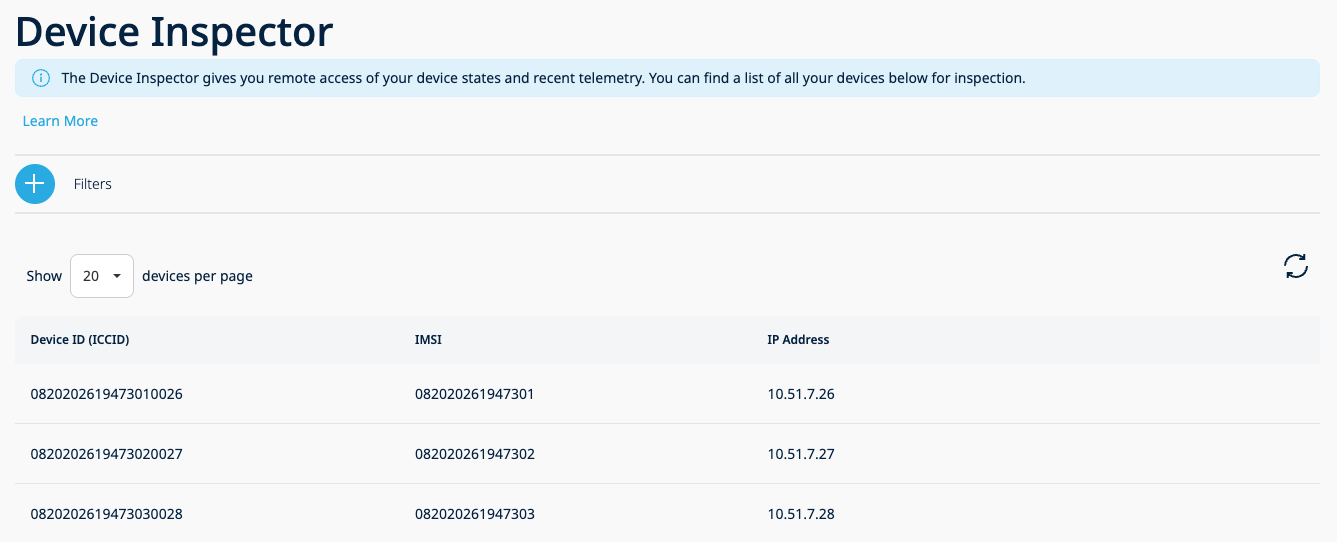
The details will provide more specific information.
State
Device state for UDP, CoAP or LwM2M messages.
-
UDP or CoAP . Last message received from the device is stored in the state. By default, the portal tries to convert Base64 messages to JSON format. If the received content is not valid JSON, the portal will display the original message as Base64.
If the user has enabled the energy saver feature with a valid template for transforming payload into JSON, the portal will display message as a JSON and, if the message is not tranformable with the existing energy saver template, there will be an admin log created with the error message.
For CoAP messages, the topic is also stored in the device state. -
LwM2M. Digital representation from the device is stored in state according to OMA specifications.
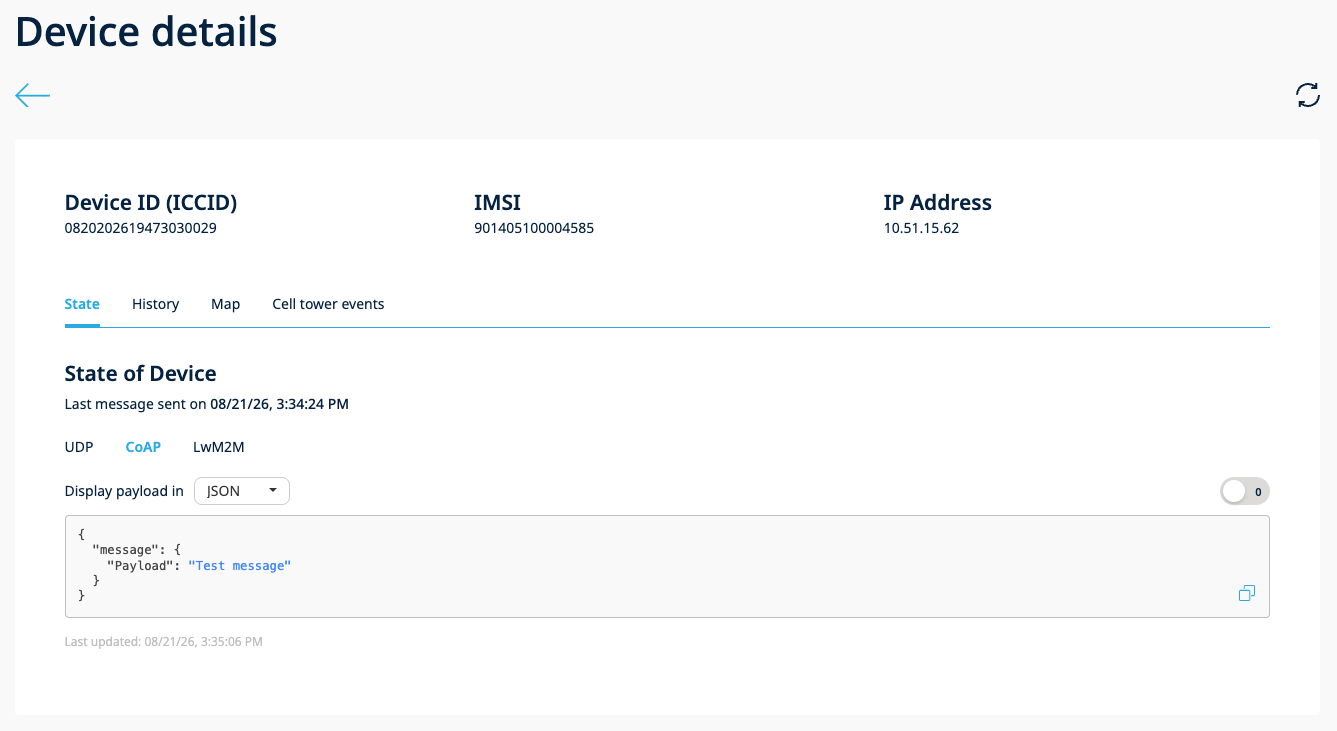
Device State for CoAP
State Auto-Refresh
An auto-refresh toggle is located next to the State section title. When enabled, the device telemetry (shadow state) data refreshes automatically every 30 seconds.
When auto-refresh is active:
- The device telemetry data refreshes every 30 seconds
- An informative message is displayed indicating that data refreshes every 30 seconds
- The 30-second countdown starts after the previous refresh request completes
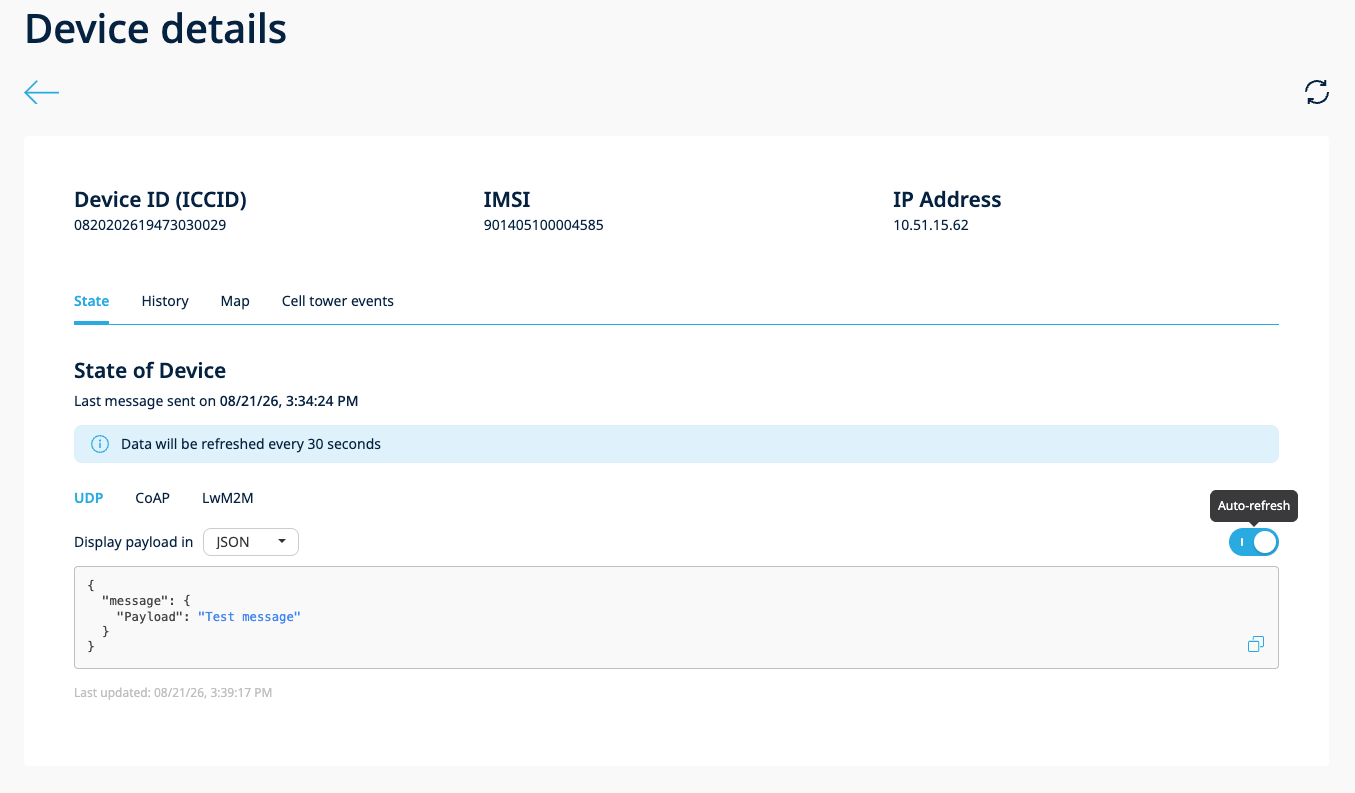
When auto-refresh is disabled:
- The periodic refresh stops immediately
Automatic deactivation:
- If an API error occurs during a refresh cycle, the auto-refresh toggle is automatically turned off
- When you navigate away from the State tab to another Device Inspector tab, auto-refresh stops automatically
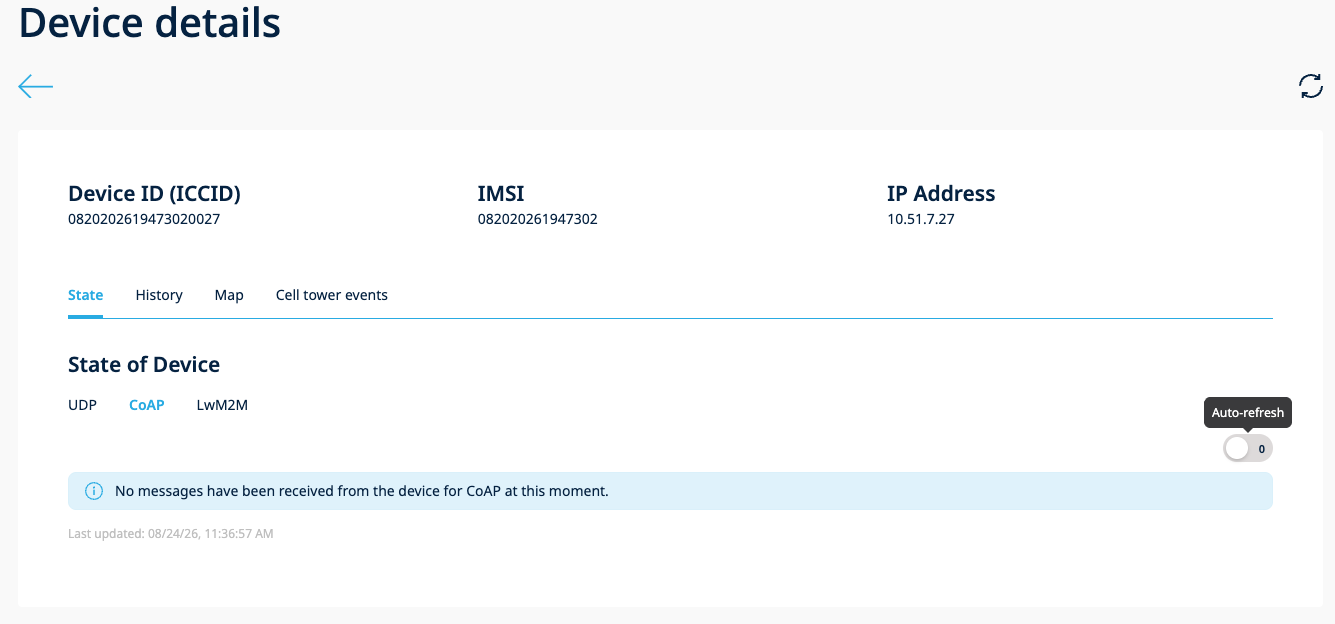
The auto-refresh toggle is available on all protocol sub-tabs (UDP, CoAP, LwM2M) and remains visible even when no messages exist for the selected protocol.
History
Whenever messages (UDP, CoAP or LwM2M) from a device are sent to the 1NCE OS endpoint(s) those are stored for 7 days.
-
UDP or CoAP . Traversed messages are stored. The message format depends on the energy saver status for the specific protocol. If the Energy Saver is not enabled, then message will be converted and stored in Base64 format, but when enabled, then a processed message will be stored in JSON format.
-
LwM2M. Messages are stored in JSON format.
More details in Historian Web Interface or Historian API Examples.
Map
If the device is utilizing Device Locator, then a location will be pinpointed on a map.
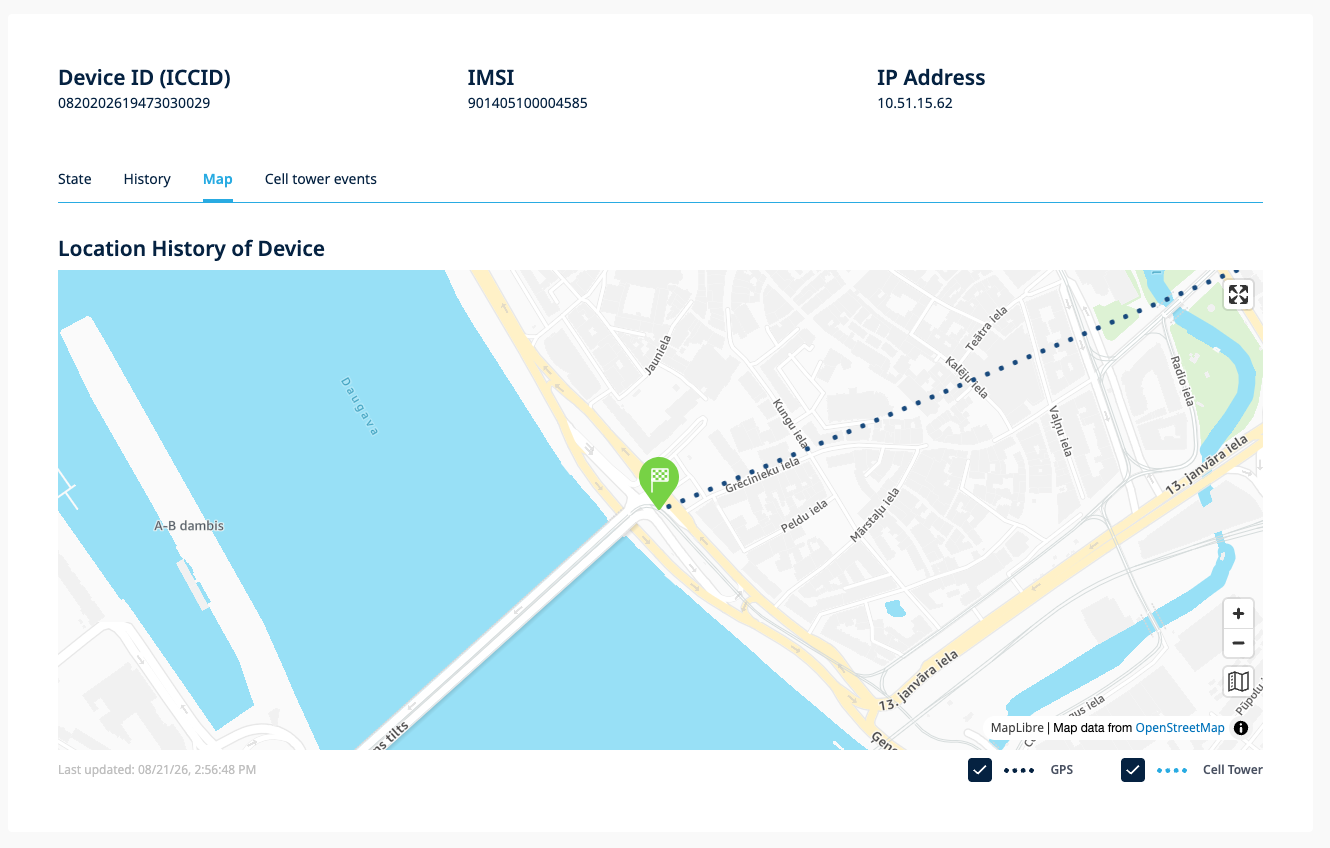
Device location on map
Cell Tower Events
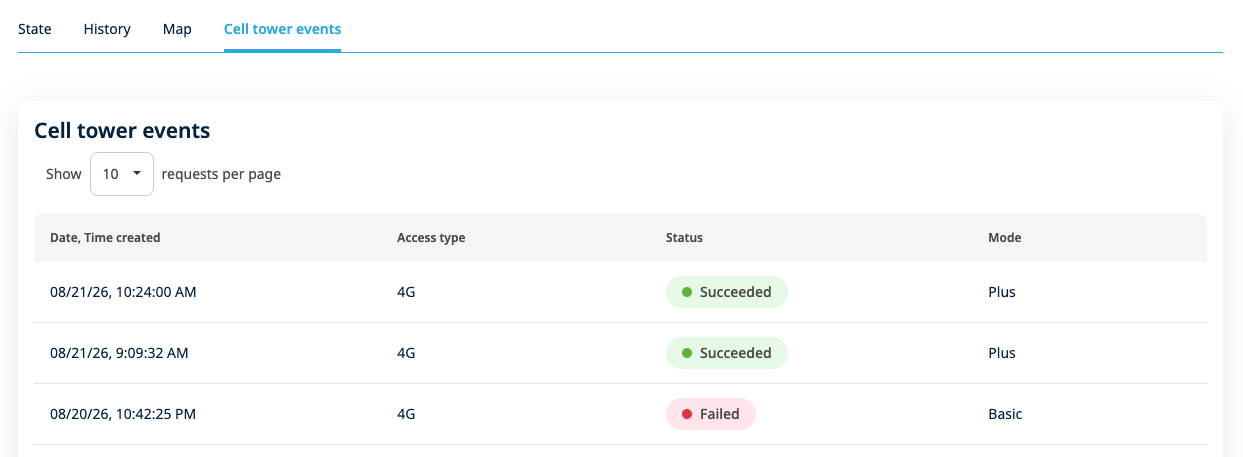
Cell tower events show the history of cell tower-based location resolutions for selected device when Cell Tower Location is enabled.
Limitations
- We only show history of the device from the last 7 days, but device state is stored permanently.
- History of device is not supporting messages bigger than 2048 bytes. If messages are stored in Base64 format, then raw binary message size shouldn't exceed 1536 bytes.
- Maximum state size for each protocol (UDP, CoAP and LwM2M) is 8192 bytes.
- A summary of the location of the device is shown, containing the first position, the last position and some positions inbetween (more data available via the API).
- The current digital state representation of a SIM device can be updated up to 20 times per second. Therefore, if a given device sends messages at a higher frequency, it would cause a throttling issue resulting in the state not being updated. That is noticeable by the existence of [DeviceShadowUpdaterThrottlingIssue] logs in the 1NCE OS Portal Administrator Logs page.
- A different issue can happen if a device sends multiple messages in a short interval. That would result in a digital state version conflict and only one of the states will be actually persisted. The existence of [DeviceShadowUpdaterOnConflict] represents that situation.
- When auto-refresh is active in the History tab, the chart/statistics section is hidden from view.
- When auto-refresh is active in the History tab, pagination is disabled — only the latest messages are shown.
- The auto-refresh interval is fixed at 30 seconds and is not user-configurable.
- Auto-refresh is automatically disabled when an API error occurs during a refresh cycle.