# 1NCE Insights
> For the complete documentation index, see [llms.txt](https://help.1nce.com/llms.txt).
# 1NCE Insights
1NCE Insights is a subscription-based analytics report embedded on the
[**Dashboard**](/docs/v2/1nce-portal/portal-dashboard/) page in the 1NCE Portal. It helps you
understand your SIM fleet's health and usage, and explore device adoption
across the 1NCE network. You move between its views within a single report.
Start with [Features & Limitations](/docs/v2/1nce-insights/features-limitations/) for an overview of
the report's capabilities and shared interpretation limits.
## Two views, one report
- [Edge Lens](/docs/v2/1nce-insights/edge-lens/) shows your own SIM fleet: usage, connectivity,
geographic activity, and SIMs that may need attention.
- [Device Analyzer](/docs/v2/1nce-insights/device-analyzer/) shows aggregated network-wide
device-adoption data to help you choose hardware.
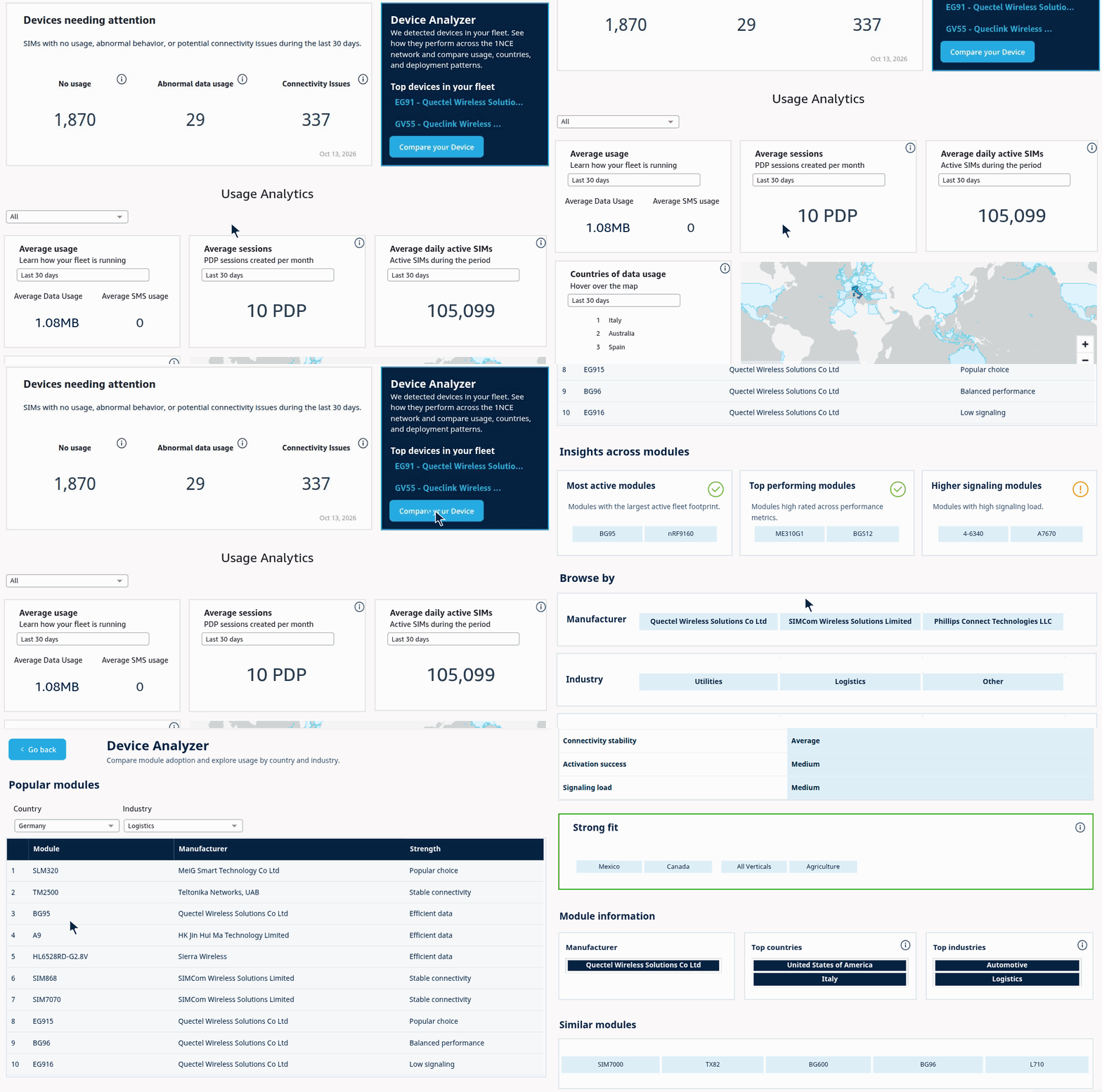
Illustrative walkthrough: select Compare your Device in Edge Lens to open Device Analyzer, then select module profile.
## Subscription & access
1NCE Insights starts with a **90-day free trial**. After the trial, a **paid yearly subscription** is
available for **1, 3, or 5 users**. Access is limited to the users covered by your subscription.
You can choose which users have access when you subscribe and update your selection later in
[**user settings**](/docs/v2/1nce-portal/portal-users-organisations/#user-account-alteration).
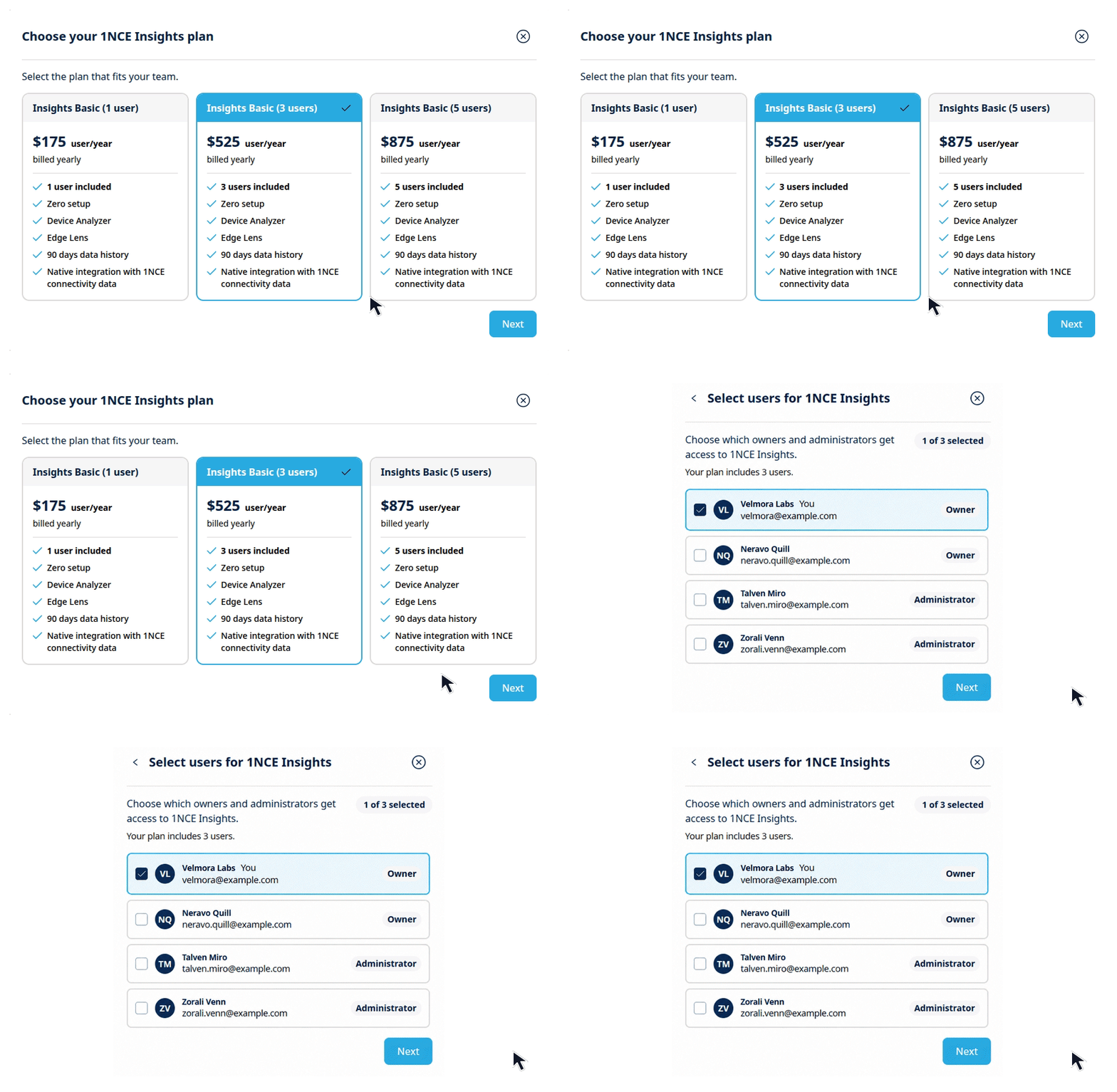
Choose a subscription plan, select Next, then choose which users can access 1NCE Insights.