Account
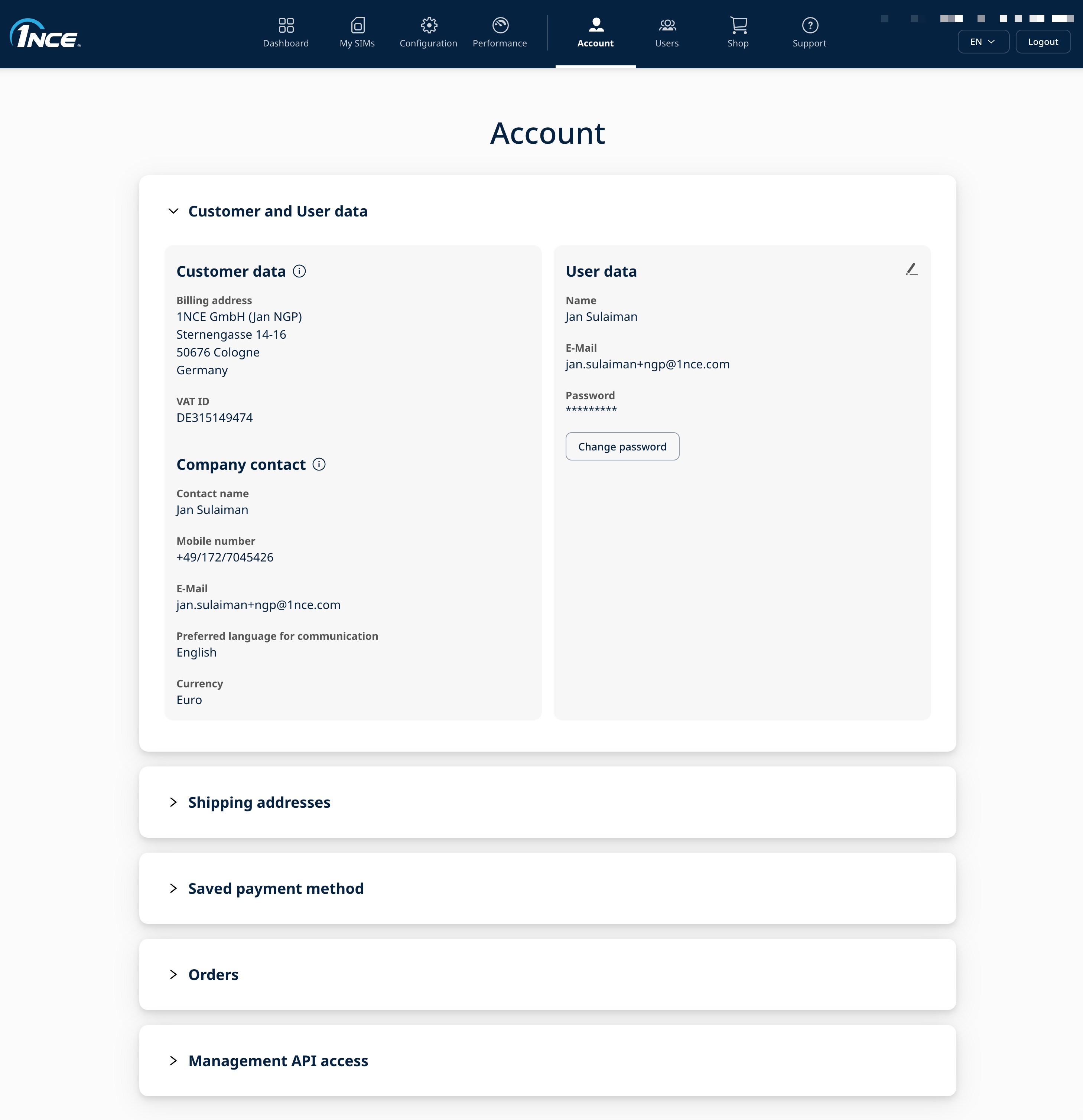
The "Account" tab provides an overview of the organization's customer and account information and allows users to manage their personal user data, shipping addresses, and saved payment method. Depending on the assigned user role, additional account functionality such as Management API access may also be available.
Customer and User data
In the Customer and User data dropdown, the account information for the organization and the personal information of the currently logged-in user can be viewed. The information displayed under Customer data and Company contact cannot be changed directly in the Customer Portal. For assistance with changes to this information, please contact our support.
All account e-mails — invoices, volume notifications for data/SMS (including reaching the monthly volume limit) and service notifications — are sent digitally to the e-mail address of the account Owner (the initial user of the account).
In the User data section, the currently logged-in user can change their first name, last name, and contact phone number. The e-mail address cannot be changed. If a different e-mail address is required, a new user account can be created using the desired e-mail address.
The logged-in user can also change their own password using the Change password option.
Shipping addresses
The Shipping addresses section displays the shipping addresses saved for the organization. New shipping addresses can be added for future orders, and existing shipping addresses can be deleted. Existing shipping addresses cannot be edited.
Saved payment method
The "Saved payment method" section allows an eligible user to save, update, or delete the credit card used for automated charges. A saved payment method is required when using payment-based features such as Auto-Top-Up.
Auto-Top-Up for individual SIM cards can be configured under "My SIMs", while Global Auto-Top-Up can be configured under the "Configuration" tab.
Orders
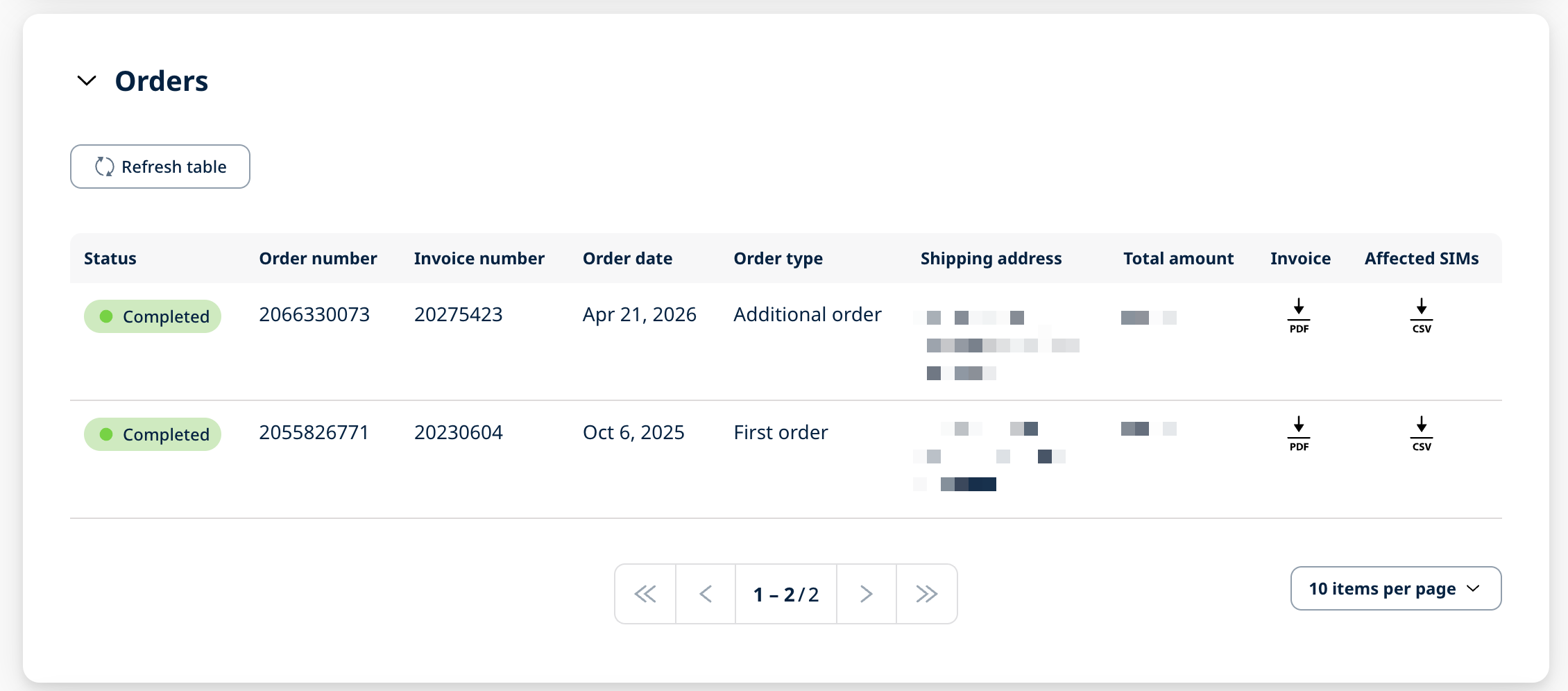
In the "Orders" section, orders associated with the organization's 1NCE account are listed. The table provides an overview of the order details and current order status, such as "Completed", “In preparation” or "Cancelled", which can be used to monitor pending orders.
For completed orders, the corresponding invoice can be downloaded from the "Invoice" column. A CSV file containing the SIM cards associated with the order can be downloaded from the "Affected SIMs" column. The CSV file contains information such as the ICCID, label, IMSI, and MSISDN of the affected SIM cards.
Management API access
The Management API access section allows users with the Owner or Administrator role to generate and manage Management API credentials.
Management API credentials are required to authenticate requests to the 1NCE API v2. Credentials can be generated by selecting + Generate API credentials in this section.
Once the Management API credentials have been generated, they can be used to obtain a Bearer Authentication Token. Instructions for obtaining the Bearer Token and authenticating API v2 requests are available in the Authorization documentation.